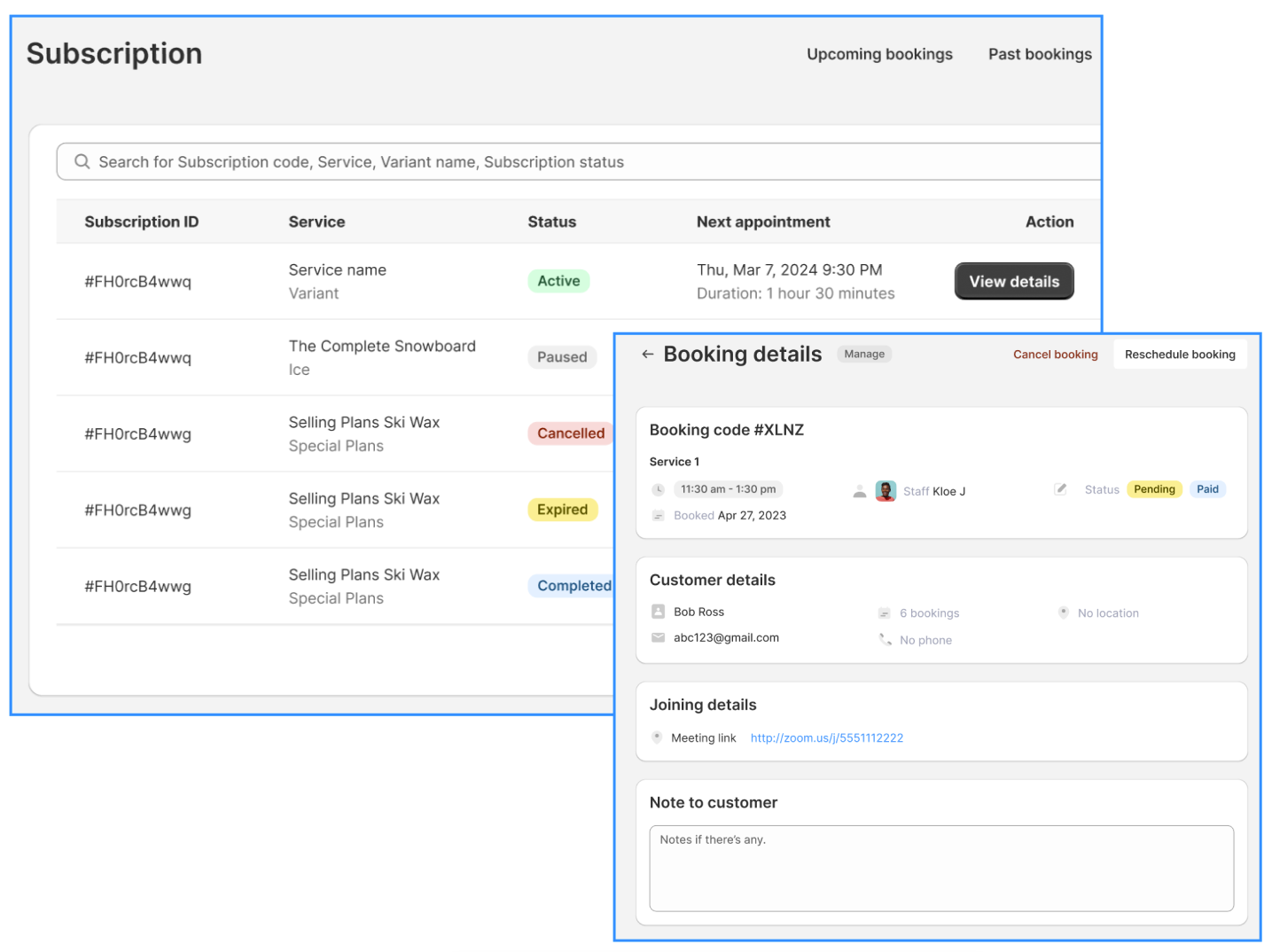
Meety’s Customer Portal feature allows your customers to view, reschedule, or cancel their bookings directly from their side. This empowers your customers with flexibility while reducing your administrative workload, ensuring a seamless booking experience.
Here’s a closer look at how Customer Portal works:
1. How to enable Customer Portal for your customers?
To set up the Customer Portal:
Go to Service tab > click Edit service button > Advanced > Customer Portal section
Turn on one or both of the following options:
Allow customers to reschedule bookings
Allow customers to cancel bookings
You can also set up the Minimum required time prior to rescheduling or cancelling bookings for customers
When enabled, the link to the Customer Portal will be automatically included in the confirmation email sent to customers. They can use this link to reschedule or cancel their bookings.
2. How does Customer Portal work for your customers?
Scenario 1: Customers with an account on your website
If a customer has already created a customer account and is logged in, they can access the Customer Portal seamlessly
After booking, they’ll receive a confirmation email containing the Customer Portal link
Clicking the link will open the Manage Booking page in their Customer Portal, where they can view all their bookings and manage them
Scenario 2: Customers without an account on your website
Customers who haven’t created an account will also receive a Customer Portal link in their confirmation email
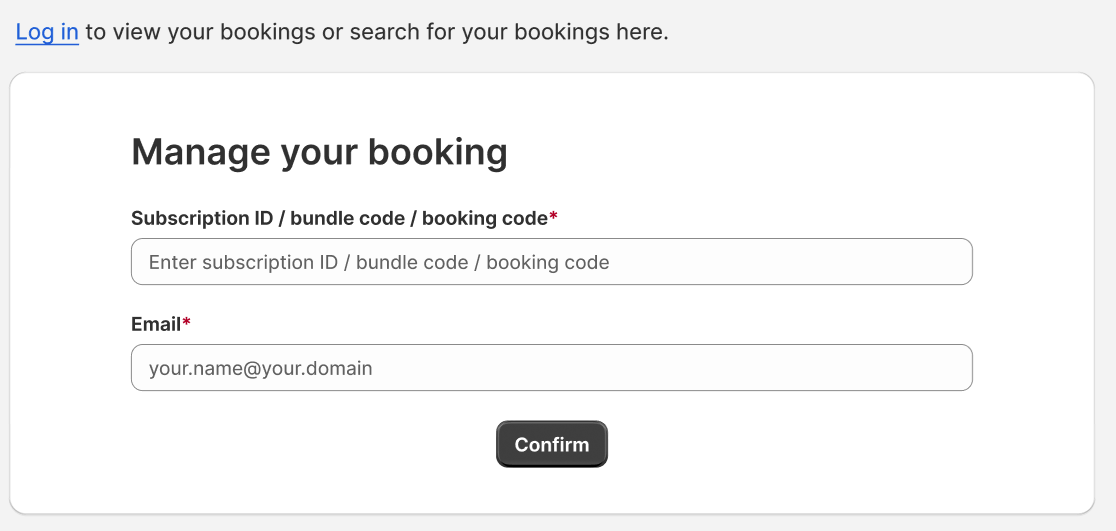
Clicking the link will direct them to a page where they can enter their booking code and email used for the booking
Once authenticated, they can view and manage only that specific booking
Scenario 3: If you are using the New Customer Accounts
If in Shopify Admin > Settings > Customer Accounts, you are using the new customer account feature instead of the classic account, accessing the Customer Portal might require additional steps
However, we recommend using the classic account for the best compatibility with Meety’s features, including the Customer Portal
If you need assistance, please contact our live support team. Our agents will guide you through the process and ensure everything works smoothly
3. How to allow customers to Reschedule/Cancel directly from emails?
Previously, customers had to access the Customer Portal to reschedule or cancel a booking. Now, they can do so directly from their confirmation email or any other email notification by clicking a link.
To enable this feature:
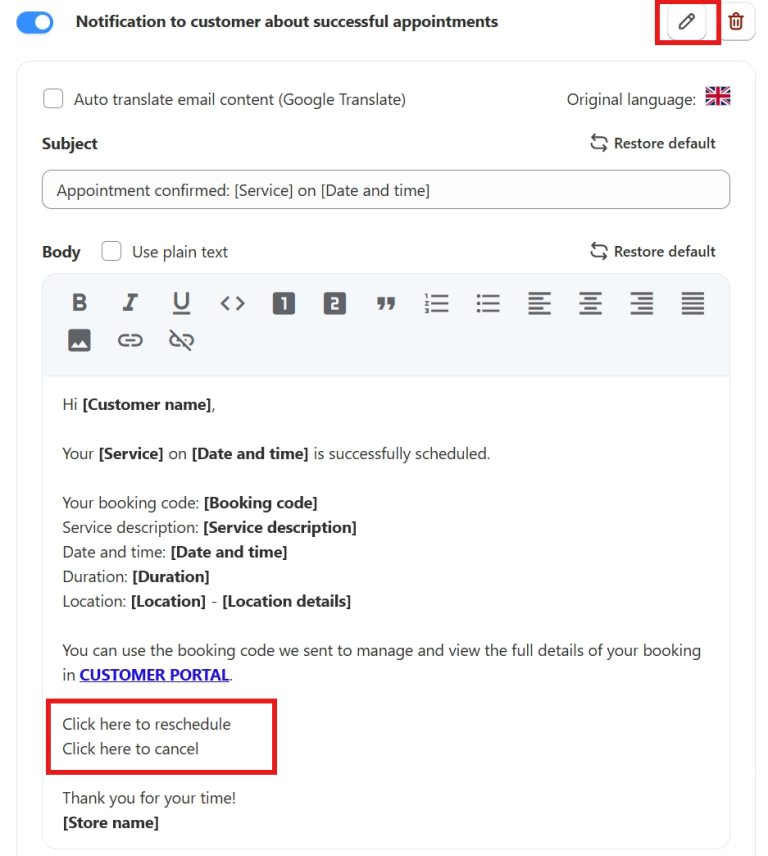
Go to Settings > Notifications > click Edit on the email template you want to update
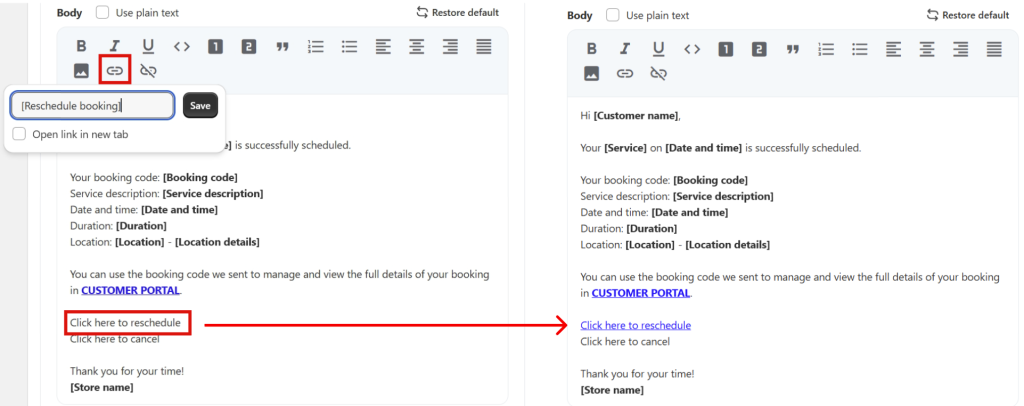
Enter the text for the hyperlink (e.g., “Click here to Reschedule your booking”)
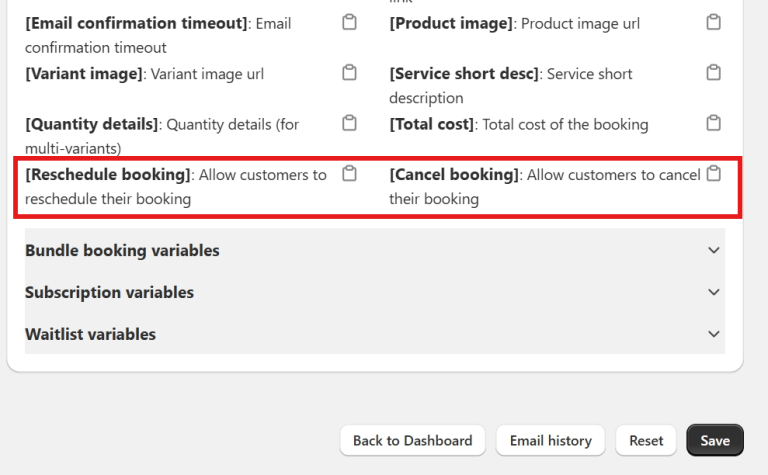
Scroll down to the Email Variables section
Find and copy the parameter:
[Reschedule booking] for rescheduling
[Cancel booking] for cancellations
Go back to the email editor > highlight the text you want to hyperlink
Click the hyperlink icon and paste the copied parameter
Once set up, customers can click the link in their email to open a reschedule or cancel pop-up instantly—without needing to access the Customer Portal.
💡 Tip: Add this link to any email templates where you want to offer easy rescheduling or cancellation!
If you need help with Customer Portal features, our Customer Success team is here to assist. You can reach out to them through live chat, or by emailing support@meetyapp.io.