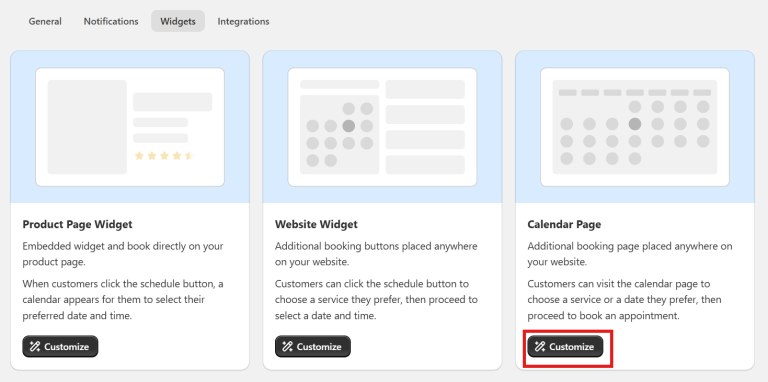
Meety’s Calendar Page feature allows you to create a dedicated booking page on your store, making it easier for customers to browse and book all available services in one place.
This feature is perfect for businesses looking to streamline their booking process and provide a seamless customer experience.
Some examples of how this can be applied:
Restaurant: Customers can reserve a table directly from the calendar page
Spa: Display all available spa services, allowing customers to book easily
Fitness Studio: Let customers view and book different workout classes from a single page
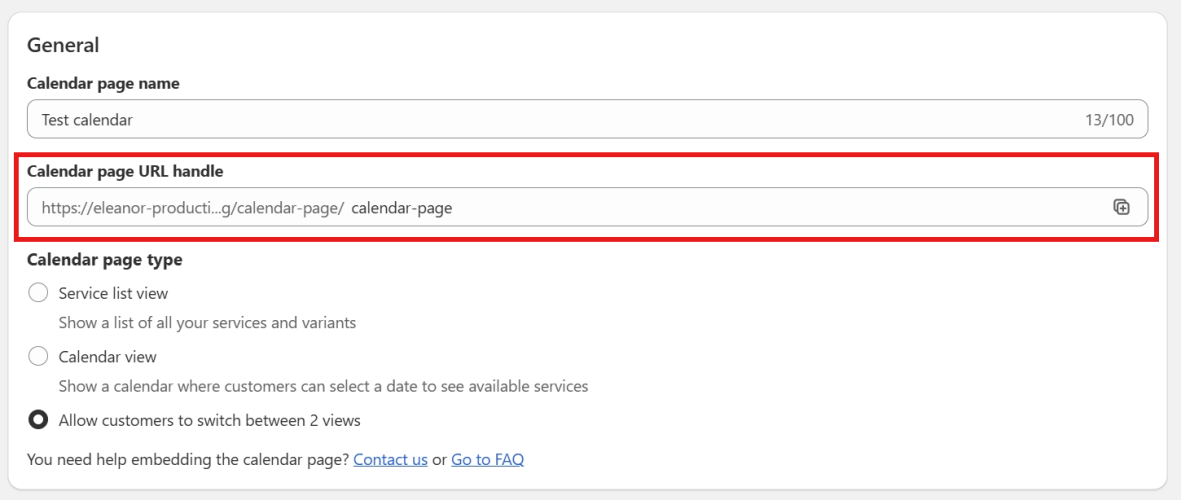
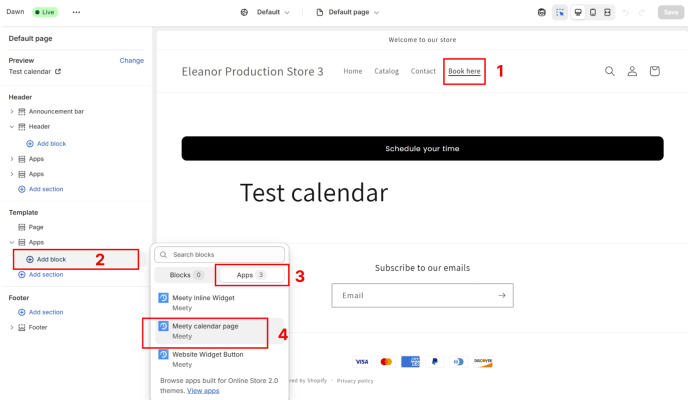
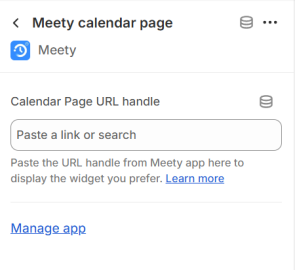
Click on the new block to open the edit window, then paste the Calendar Page URL handle into the box
Click Save
3. What does a Calendar page look like for Customers?
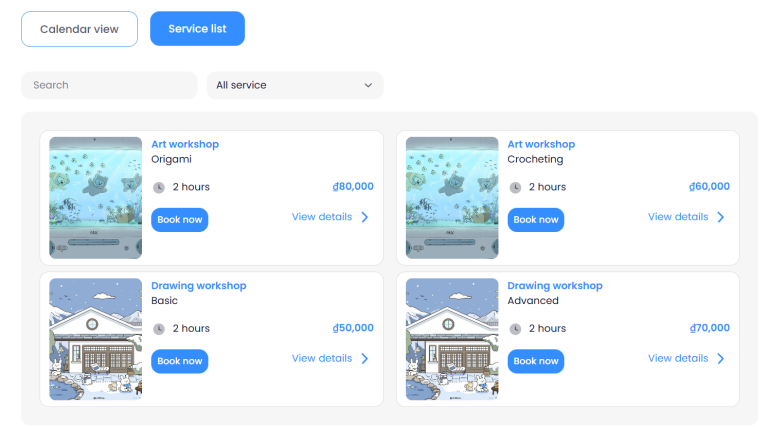
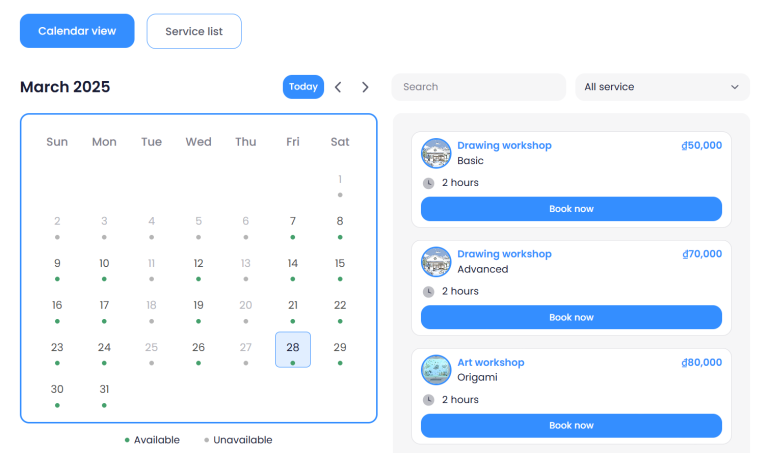
Once the Calendar Page is set up, customers can access it and choose between:
Service List View: A complete list of your available services
Calendar View: A calendar layout where they can select a date and see available services
This ensures a smooth and convenient booking experience for your customers.
If you need help setting up your Calendar page, our Customer Success team is here to assist. You can reach out to them through live chat, or by emailing support@meetyapp.io.
We’ll gladly provide tutorials, answer your questions, and ensure everything is set up properly.