Meety’s Seasonal pricing feature allows you to set different prices based on peak and off-peak periods. This feature helps you optimize revenue by increasing prices during high-demand times, such as holidays or busy seasons, and offering lower prices during slower periods to attract more customers and boost sales.
Upgrade to Meety Premium plan today to unlock this flexible pricing feature.
🚫 Please note:
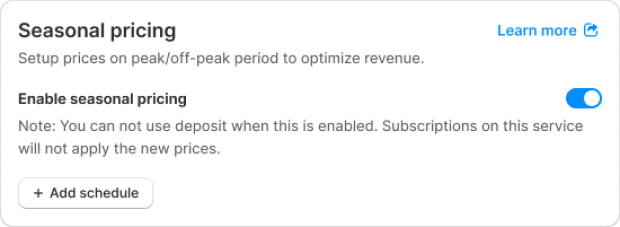
When Seasonal pricing is enabled, Deposit and Subscriptions features cannot be used
For Subscriptions, the booking page will still display the subscription price. However, at checkout, the Seasonal pricing will override and be applied if it’s currently active
Some examples of how this can be applied:
Spa Services: Increase prices on weekends or holidays when demand is high
Workshops or Events: Offer lower prices on weekdays to encourage more sign-ups
Fitness Classes: Charge higher rates during peak evening slots and lower during midday
1. How to set up Seasonal Pricing?
Go to Service tab > click Edit service button > Payment/ Pricing > Seasonal pricing section > turn on Enable Seasonal pricing
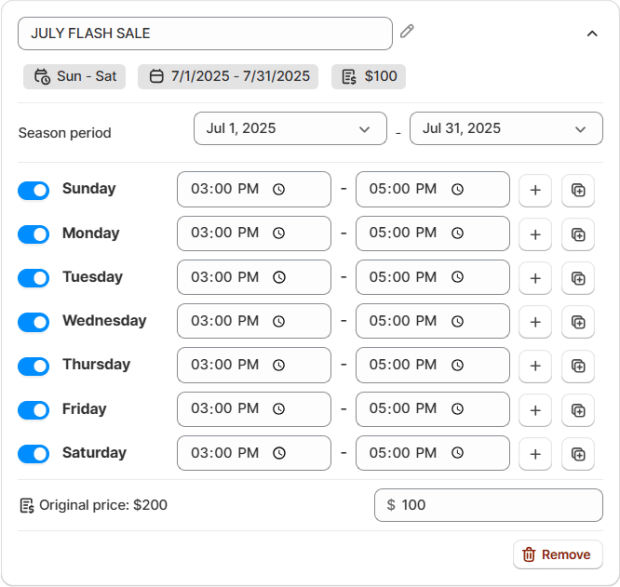
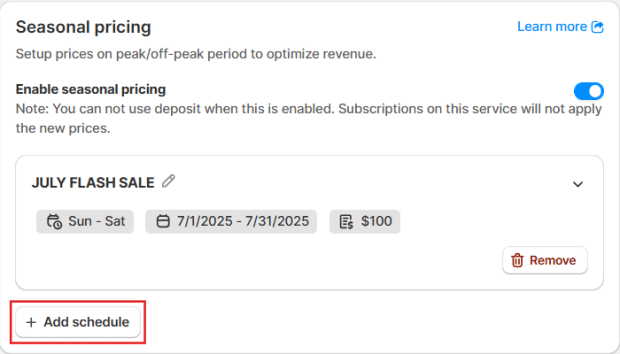
Add schedule: Click to create one or more pricing rules that define when and how your seasonal pricing will be applied – including season period, specific days of the week, time slots, and custom prices.
For each schedule, set:
Title of campaign (e.g. JULY FLASH SALE)
Season period: Define the active date range for the seasonal pricing (e.g. Jul 1, 2025 – Jul 31, 2025)
Days of the week & time range: Specify which days and time slots the pricing should apply (e.g. every day from 3 PM to 6 PM)
Price per unit: Set your custom rate during the selected period (e.g. reduced from $200 to $100)
You can add multiple schedules to tailor pricing for different seasons, holidays, or times of day by clicking Add schedule.
2. What does Seasonal pricing look like for Customers?
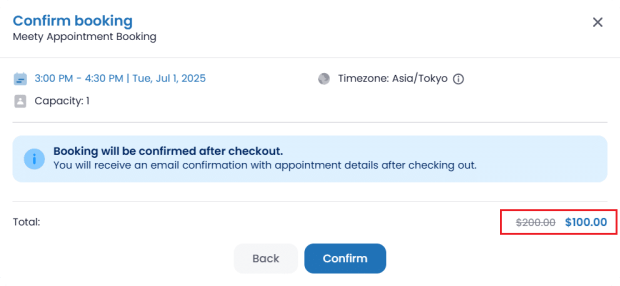
When booking a service, customers will automatically see the adjusted price that applies to their selected time slot. No extra steps are needed – they’ll always see the correct price based on your seasonal pricing settings.
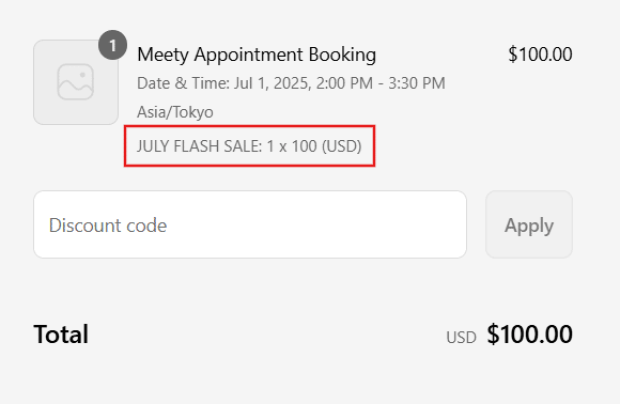
At the checkout step, the title of the campaign will also appear on the screen to let customers know that a seasonal price is being applied.
Let Seasonal Pricing work for your business all year round. Adjust prices smartly and boost revenue with just a few clicks.
If you need help, feel free to reach out to them through live chat, or by emailing support@meetyapp.io.
We’ll gladly provide tutorials, answer your questions, and ensure everything is set up properly.